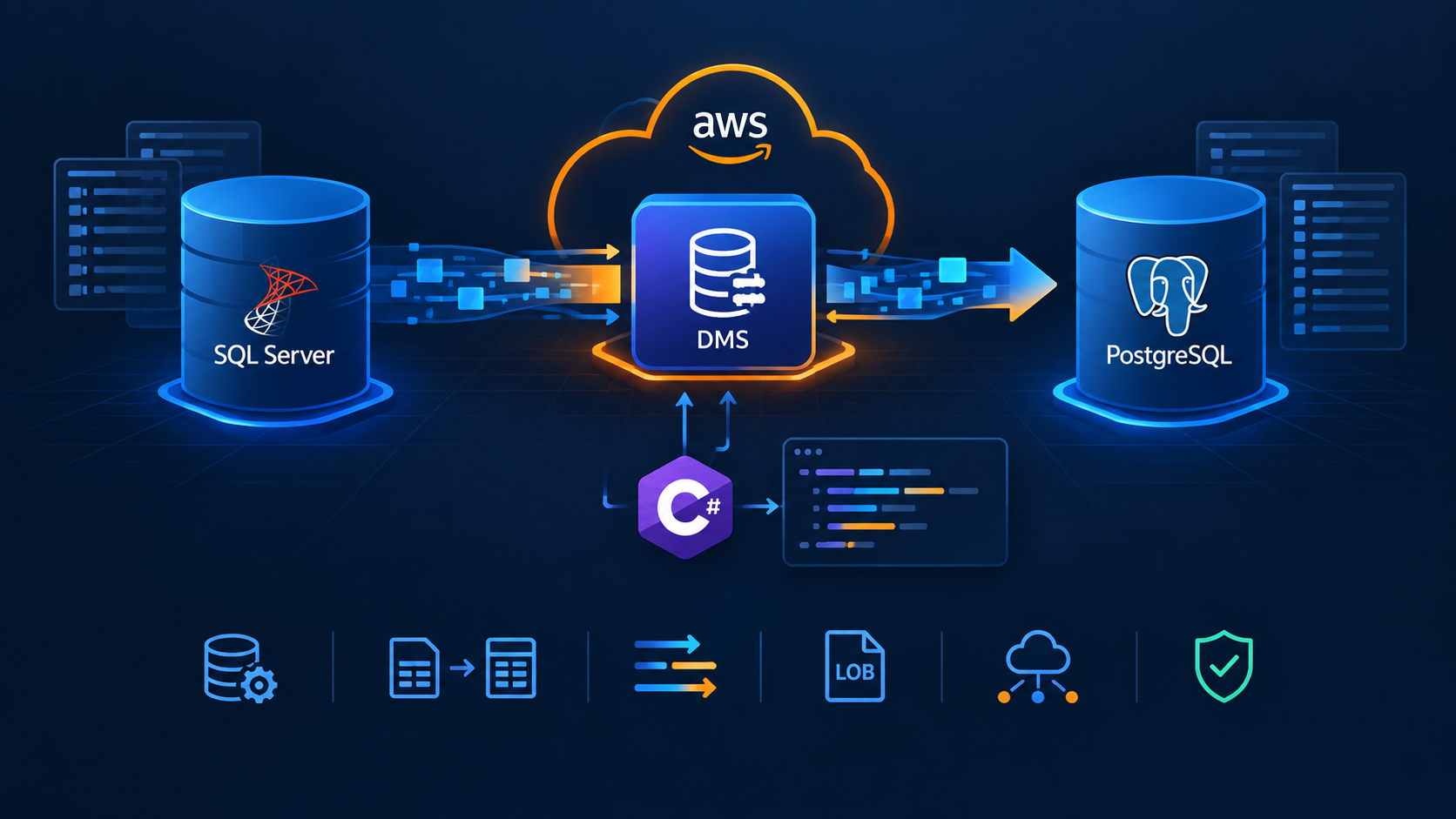
How to Set Up Mutual TLS Authentication for Amazon API Gateway

Mutual Transport Layer Security (mTLS) is a type of Transport Layer Security (TLS) where both the client and server authenticate each other. This two-way authentication process ensures that both parties in the communication are who they claim to be, offering a higher level of security than standard TLS, which only authenticates the server to the client. Due to this enhanced security, Mutual TLS is commonly used for business-to-business (B2B) communications in various industries (financial, healthcare, government, etc.) where protecting sensitive information is a crucial asset.
Pre-requisites
An IAM User with programmatic access
Install the AWS CLI
Install the Amazon Lambda Templates (
dotnet new -i Amazon.Lambda.Templates)Install the Amazon Lambda Tools (
dotnet tool install -g Amazon.Lambda.Tools)Install AWS SAM CLI
An AWS ACM certificate valid for our domain name
An Hosted zone in Amazon Route 53 valid for our domain name
Truststore
To set up the trust, clients must share their public certificates. A truststore is a repository where we store these certificates. For Amazon API Gateway, an S3 bucket will be used. Run the following command to create the S3 bucket for the truststore:
aws s3api create-bucket --bucket mys3truststore --region <MY_REGION> --create-bucket-configuration LocationConstraint=<MY_REGION>
The next step is to generate the client certificate. For this post, we will generate a self-signed Certificate Authority (CA) and a client certificate using step CLI. Run the following command to create a root CA certificate and key:
./step certificate create "My Root CA" root-ca-cert.pem root-ca-key.pem --profile root-ca --no-password --insecure
Based on that root CA certificate and key, we will generate a client certificate and key:
./step certificate create "My Client" client-cert.pem client-key.pem --profile leaf --ca root-ca-cert.pem --ca-key root-ca-key.pem --not-after=8760h
Upload the root CA certificate to the truststore with the following command:
aws s3 cp root-ca-cert.pem s3://mys3truststore/root-ca-cert.pem
API Gateway
Run the following commands to set up our Lambda function:
dotnet new lambda.EmptyFunction -n MyLambda -o .
dotnet add src/MyLambda package Amazon.Lambda.APIGatewayEvents
dotnet new sln -n MyApplications
dotnet sln add --in-root src/MyLambda
Open the Program.cs file and update the content as follows:
using Amazon.Lambda.APIGatewayEvents;
using Amazon.Lambda.Core;
using System.Text.Json;

[assembly: LambdaSerializer(typeof(Amazon.Lambda.Serialization.SystemTextJson.DefaultLambdaJsonSerializer))]

namespace MyLambda;

public class Function
{
    public APIGatewayHttpApiV2ProxyResponse FunctionHandler(APIGatewayHttpApiV2ProxyRequest input, ILambdaContext context)
    {
        context.Logger.LogInformation(JsonSerializer.Serialize(input));
        return new APIGatewayHttpApiV2ProxyResponse
        {
            Body = @"{""Message"":""Hello World""}",
            StatusCode = 200,
            Headers = new Dictionary<string, string> { { "Content-Type", "application/json" } }
        };
    }
}
At the solution level, create a template.yml file with the following content:
AWSTemplateFormatVersion: '2010-09-09'
Transform: AWS::Serverless-2016-10-31
Description: >
  SAM

Resources:

  MyApi:
    Type: AWS::Serverless::Api
    Properties:
      DisableExecuteApiEndpoint: true
      StageName: Prod
      Domain:
        DomainName: <MY_DOMAIN_NAME>
        CertificateArn: <MY_CERTIFICATE_ARN>
        MutualTlsAuthentication:
          TruststoreUri: s3://mys3truststore/root-ca-cert.pem
        Route53:
          HostedZoneId: <MY_HOSTED_ZONE_ID>

  MyApiFunction:
    Type: AWS::Serverless::Function
    Properties:
      Timeout: 60
      MemorySize: 512
      Tracing: Active
      Runtime: dotnet8
      Architectures:
        - x86_64
      Handler: MyLambda::MyLambda.Function::FunctionHandler
      CodeUri: ./src/MyLambda/
      Events:
        Get:
          Type: Api
          Properties:
            RestApiId: !Ref MyApi
            Path: /hello-world
            Method: get

Outputs:
  MyApiEndpoint:
    Description: "API domain name endpoint"
    Value: "https://<MY_DOMAIN_NAME>/hello-world"
Here, we create a standard AWS::Serverless::Function resource with an event source of type Api pointing to an AWS::Serverless::Api resource. This resource includes the Domain property with several attributes:
DomainName: The domain name for the API Gateway API.CertificateARN: The ARN of an AWS-managed certificate for the domain name.MutualTlsAuthentication: The mutual TLS authentication configuration for the domain name. TheTruststoreUriproperty specifies the S3 URL to our truststore.Route53: TheHostedZoneIdproperty defines the hosted zone where the domain name's record will be created.
Since we want the API to be accessible only through the domain name, the default execute-api endpoint for this API should be disabled using the DisableExecuteApiEndpoint property. Run the following commands to deploy the configured resources to AWS:
sam build
sam deploy --guided
Testing
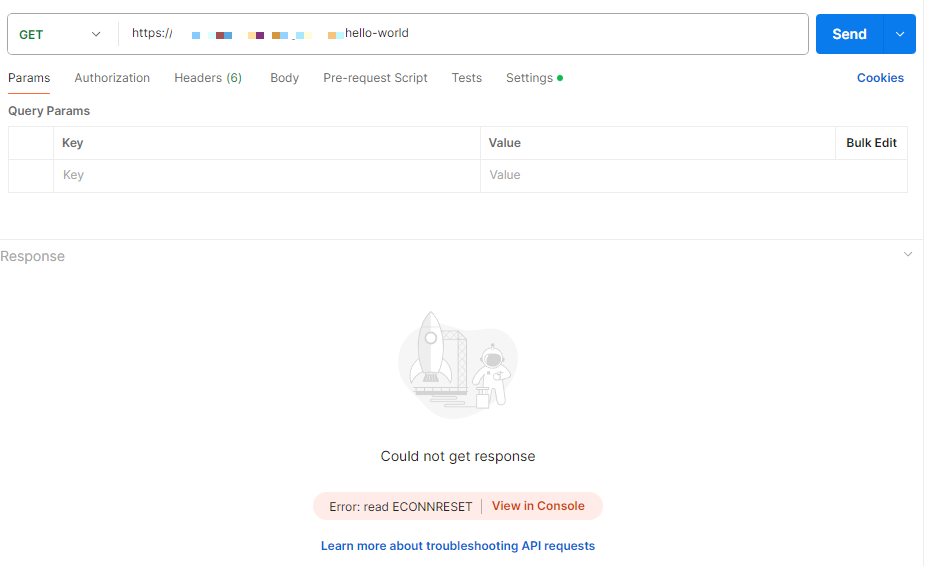
We will use Postman to test our endpoint. If we try to access the endpoint without configuring a certificate, the mTLS connection will not be established:
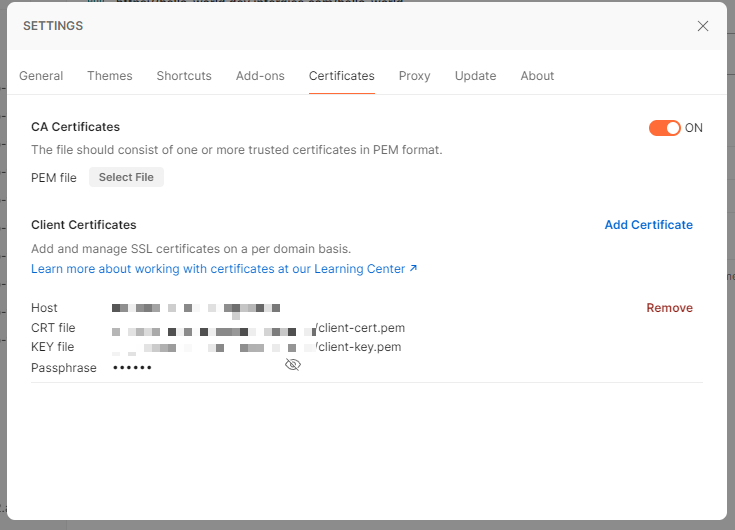
The certificates can be configured in the Settings option and Certificates tab using the client certificate and key previously created:
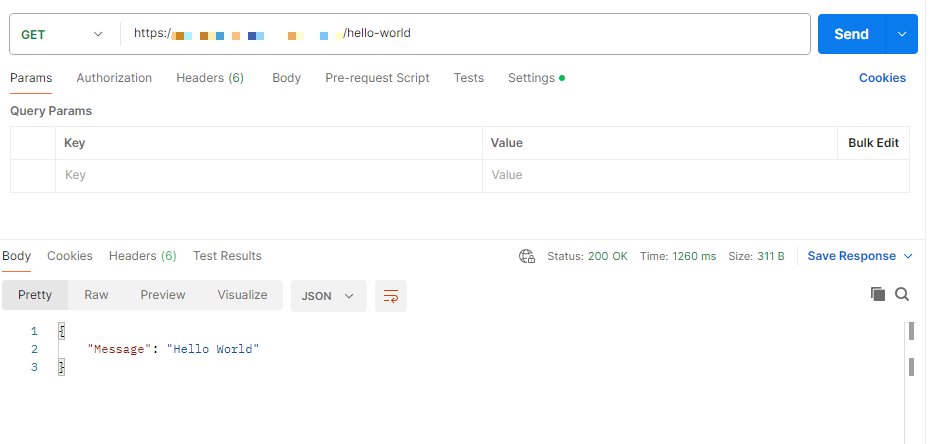
Make sure to use as a host our domain name. Once the certificate is configured, we should be able to get a successful response:
You can find the code and scripts here. Thank you, and happy coding.
About the author
Somebody who likes to code
Comments
Join the discussionNo comments yet. Be the first to comment.