Running local images in Kubernetes with KIND and Podman
Somebody who likes to code
Docker Desktop is probably the most popular choice for using containers locally. It also includes a standalone version of Kubernetes, simplifying the process of running local clusters. However, there are alternative options available. Podman Desktop along with its KIND extension, offers a similar capability.
Podman is an open-source tool for managing containers that can be used as a direct replacement for Docker. It uses the same CLI commands as Docker and even offers a podman-compose tool as an alternative to the popular docker-compose.
KIND (Kubernetes In Docker) is a tool designed to run Kubernetes clusters inside containers. This means each Kubernetes node is a container, so the control plane and worker nodes run inside them.
This characteristic leads to differences when using a local image within the Kubernetes cluster. With Docker Desktop, the Kubernetes containers run directly on the host, and executing the docker ps command will display all containers related to the Kubernetes cluster. In contrast, running podman ps will only show the following:
CONTAINER ID NAMES                      PORTS
5e17653c7d7d kind-cluster-control-plane 0.0.0.0:9090->80/tcp, 0.0.0.0:9443->443/tcp, 127.0.0.1:52517->6443/tcp
KIND uses ContainerD as the container runtime inside the kind-cluster-control-plane container. This setup allows us to use crictl to list the containers by running the command podman exec -it kind-cluster-control-plane crictl ps:

The same issue happens with images. When we build an image locally, it's only available on our host. Therefore, we have to move the image into the kind-cluster-control-plane container to use it. Fortunately, KIND has a command to do just that:
kind load --name <KIND_CLUSTER_NAME> docker-image <MY_LOCAL_IMAGE>
Use
kind get clustersto show the name of the cluster.
However, it fails with Podman because the implementation of the docker-image command is closely tied to Docker itself. So, as a workaround, we can use two other commands to achieve the same result:
podman save -o myimage.tar <MY_LOCAL_IMAGE>
kind load --name <KIND_CLUSTER_NAME> image-archive myimage.tar
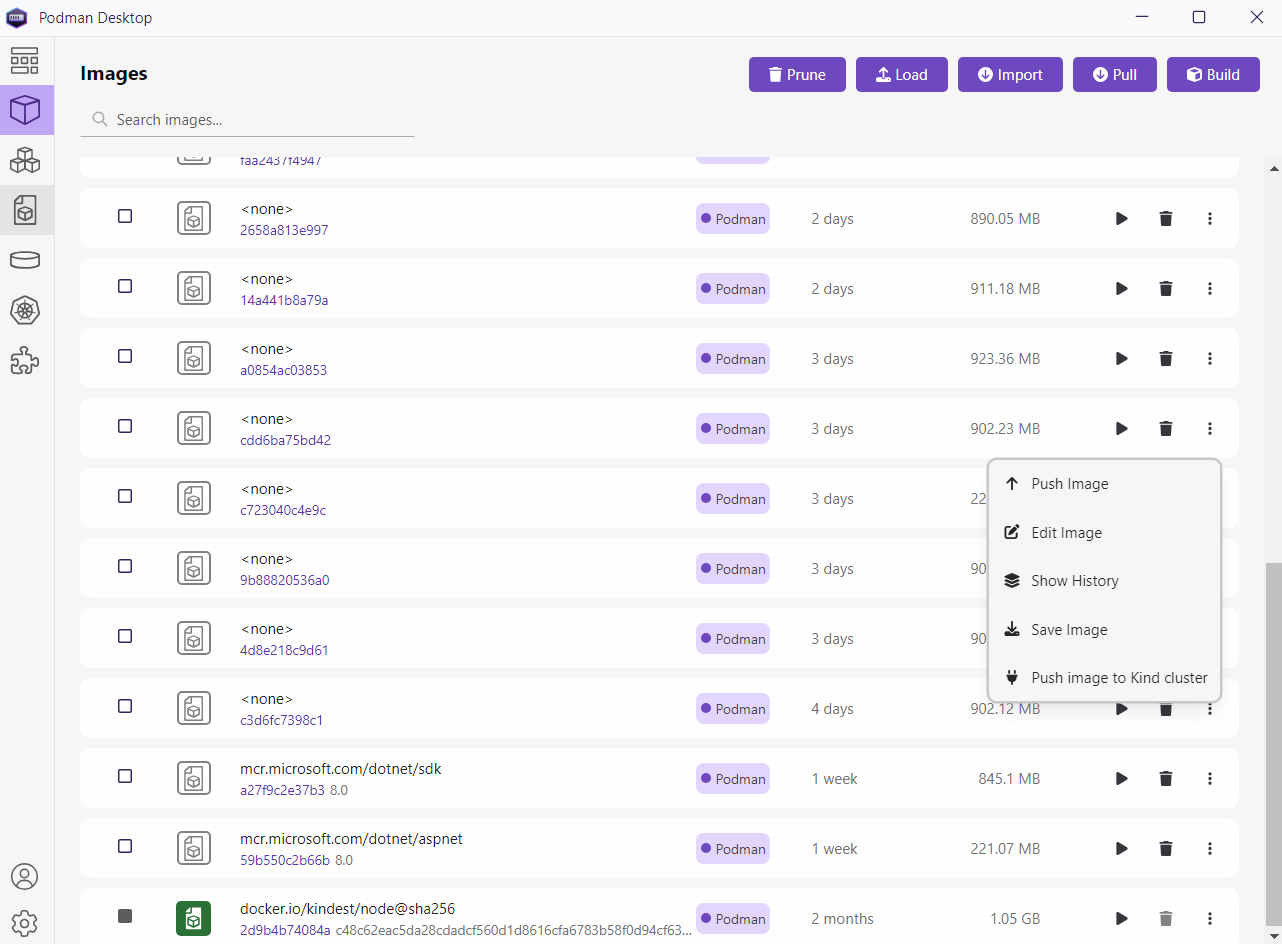
The podman save command allows us to save an image to a file, while the image-archive command enables loading an image from a file into the cluster. By executing the command podman exec -it kind-cluster-control-plane crictl images we can now see our image included in the local images of the kind-cluster-control-plane container. As a final note, we can achieve the same result using Podman Desktop:
Thank you, and happy coding.



