Go: Setting Up the Development Environment
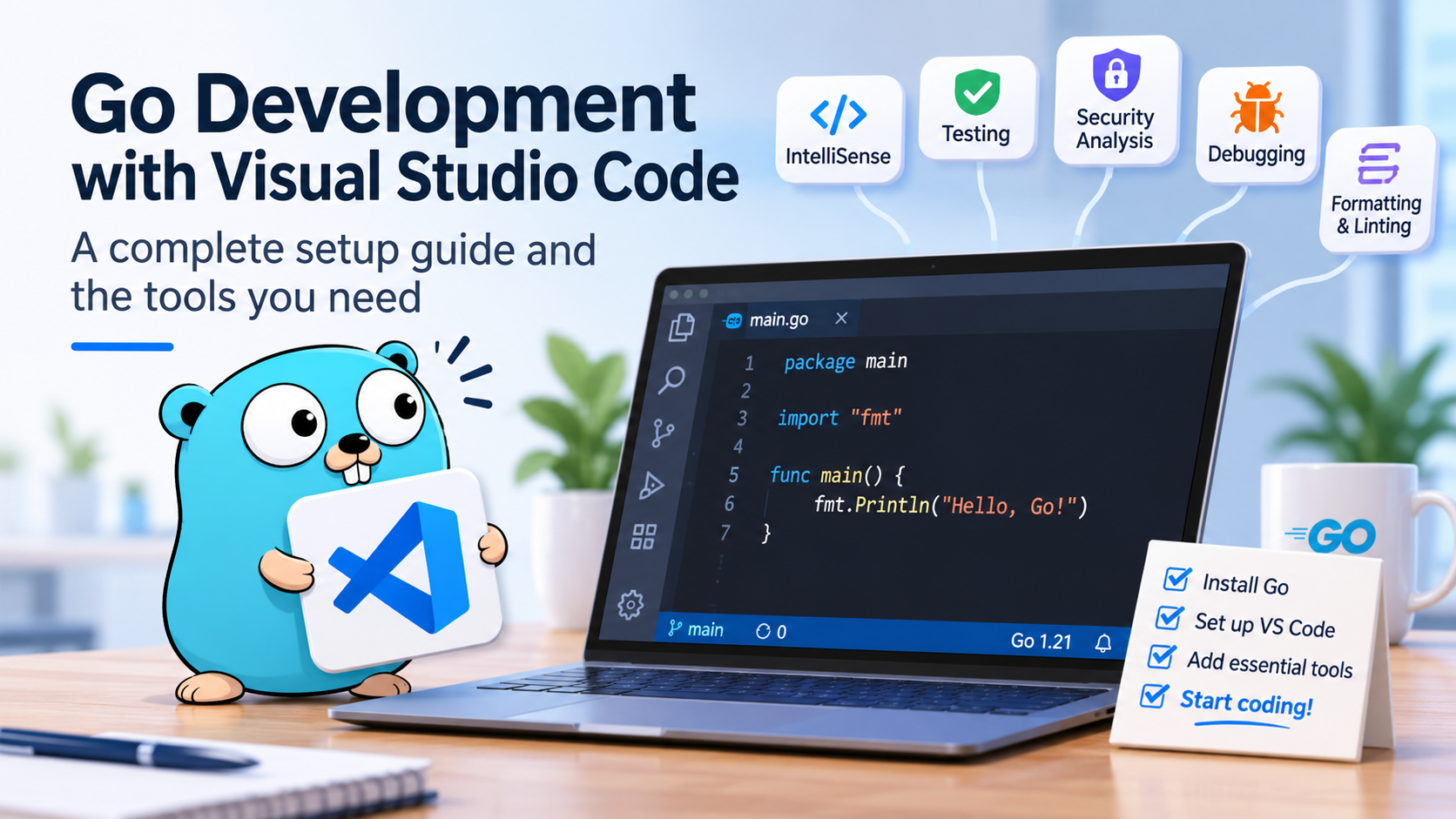
When developing backend applications, writing code is only one part of the job. We also need tools to detect bugs, maintain consistent coding standards, test our applications, identify security vulnerabilities, and debug problems efficiently.
In this article, we'll set up a professional Go development environment using Visual Studio Code and explain the purpose of each tool, how it works, and when we should use it.
Go provides an extensive toolchain out of the box. Unlike ecosystems where we install separate packages for formatting, compilation, and testing, Go includes many of these capabilities in its standard distribution. We'll build on those foundations with additional tools for static analysis, linting, security, and debugging.
By the end of this tutorial, we'll have a development environment that can help us write, test, analyze, and debug Go applications consistently.
Disclaimer: We assume the reader has a basic understanding of Go syntax.
What is Go?
Go is an open-source, statically typed and compiled language created at Google by Robert Griesemer, Rob Pike, and Ken Thompson, and released in 2009. It was designed for building simple, reliable, and efficient software, especially networked services.
- Simplicity: A small language specification and a single idiomatic way of doing most things.
- Performance: Compiles to a native binary with a fast garbage collector and very low startup time.
- Concurrency: Goroutines and channels make concurrent code a first-class citizen.
- Batteries included: The standard library covers HTTP servers, JSON, testing, structured logging, and more.
Installing Go
Installing Go gives us much more than a compiler. It includes commands for managing dependencies, formatting source code, running tests, analyzing code, and building executable applications.
Download the stable release from the official Go website.
After installation, open PowerShell and verify that Go is available:
go version
Understanding the Go toolchain
The go command is the entry point to most development tasks.
| Command | Purpose |
|---|---|
go run . |
Compiles and runs the current application. |
go build . |
Compiles the application into an executable. |
go mod init |
Initializes a Go module. |
go get |
Adds or updates dependency requirements. |
go test ./... |
Runs tests across the module's packages. |
go vet ./... |
Checks for suspicious code constructs. |
go fmt ./... |
Formats Go source files. |
These commands are part of the Go toolchain, so we don't need to install a separate tool for each operation.
Initializing a project
Let's create a new application:
mkdir hello-go
cd hello-go
go mod init example.com/hello-go
This creates a go.mod file that identifies the module and declares its Go version and dependency requirements.
Create a main.go file:
package main

import "fmt"

func main() {
    fmt.Println("Hello, Go!")
}
Run the application:
go run .
Go's module system manages external dependencies and records version requirements in go.mod, with checksums stored in go.sum when appropriate. This makes dependency management reproducible across development machines and CI environments.
Visual Studio Code
Visual Studio Code is our editor. It provides the interface for writing code, navigating projects, running terminal commands, debugging applications, and integrating with version control.
However, VS Code does not implement Go's language features itself. It relies on specialized tools to understand the code and provide intelligent editor features.
Install VS Code from code.visualstudio.com.
The Go extension
Install the official Go extension.
This extension integrates the Go toolchain into the editor and coordinates several tools that provide language support.
Its main capabilities include:
- IntelliSense: suggests functions, variables, types, and method names while we type.
- Go to Definition: navigates to the declaration of a symbol.
- Find References: identifies where a function, type, or variable is used.
- Refactoring: helps rename symbols and organize imports safely.
- Diagnostics: displays problems detected by the language server and other analyzers.
- Testing: allows us to run and debug tests from the editor.
- Debugging: integrates with Delve for breakpoints and variable inspection.
The extension uses gopls as its language server and can install supporting tools through the command palette.
Open the command palette with Ctrl+Shift+P and run:
Go: Install/Update Tools
What is gopls?
gopls is the official Go language server. It analyzes Go source code and communicates with editors through the Language Server Protocol (LSP).
Rather than making VS Code implement Go-specific intelligence, the editor sends requests to gopls, which understands Go packages, types, imports, and symbols.
For example, when we type:
func calculateTotal(price, quantity int) int {
    return price * quantity
}
gopls can understand the function signature, suggest valid identifiers, identify type errors, and help us navigate to usages of calculateTotal.
It also provides diagnostics before we run the application, although not every diagnostic represents a runtime bug.
We normally don't need to install gopls manually. The official VS Code Go extension can install and manage it for us.
Code Formatting with gofmt
Formatting rules often become a source of disagreement in development teams. Developers may have different preferences for indentation, whitespace, or line breaks.
Go addresses this problem with gofmt, a formatter included in the official toolchain.
Instead of relying on each developer's personal formatting preferences, gofmt applies a consistent, standardized representation of Go source code.
Consider this code:
package main

import "fmt"

func main(){fmt.Println("Hello, Go!")}
It compiles, but its formatting is difficult to read. Run:
gofmt -w main.go
The result becomes:
package main

import "fmt"

func main() {
    fmt.Println("Hello, Go!")
}
The -w option means that the formatted source is written back to the file.
Why is gofmt important?
gofmt does not try to detect every logical error. Its purpose is to standardize the source code's presentation.
This has several benefits:
- Developers spend less time debating formatting conventions.
- Code reviews focus more on behavior and design.
- Formatting differences produce less unnecessary noise in Git diffs.
- The same formatting rules apply across different editors and operating systems.
We can also format packages using:
go fmt ./...
For VS Code, configure automatic formatting when saving by creating .vscode/settings.json:
{
  "editor.formatOnSave": true,
  "[go]": {
    "editor.defaultFormatter": "golang.go",
  },
}
From this point forward, our editor can format Go code automatically whenever we save a file.
Go Vet: Detecting Suspicious Code
Formatting ensures consistency, but it doesn't guarantee correctness.
Go includes go vet, a static analysis tool that examines source code for suspicious constructs that may indicate mistakes.
Static analysis means inspecting code without executing the application.
For example, consider a formatting mistake:
package main

import "fmt"

func main() {
    name := "Go"
    fmt.Printf("Name: %d\n", name)
}
The %d formatting verb is intended for integer values, but name is a string. The compiler may accept this code because fmt.Printf uses a variadic interface-based API.
Run:
go vet ./...
The analyzer can identify this incorrect formatting usage.
What does go vet check?
It includes analyzers for various suspicious patterns, such as:
- Incorrect formatting directives in formatting functions.
- Certain mistakes involving mutexes and synchronization.
- Suspicious struct tags.
- Some incorrect uses of standard library APIs.
- Other constructs that may indicate a programming mistake.
The exact checks depend on the Go version and the analyzers enabled.
When should we use it?
go vet should be part of the normal development workflow and continuous integration pipeline.
It complements compilation: the compiler verifies language and type correctness, while go vet checks additional patterns that could indicate bugs.
It is not a complete correctness checker. Passing go vet doesn't guarantee that the application is free of bugs.
Staticcheck: Deeper Static Analysis
go vet provides useful checks, but sometimes we want more comprehensive analysis.
Staticcheck is an independent static analysis tool for Go. It detects a broader set of problems involving correctness, performance, code simplification, and API usage.
Install it with:
go install honnef.co/go/tools/cmd/staticcheck@latest
Make sure the Go executable directory is in your PATH. On a default Windows installation, this is usually %USERPROFILE%\go\bin.
Verify the installation:
staticcheck -version
Analyze the current module:
staticcheck ./...
What problems can Staticcheck find?
Staticcheck groups its diagnostics into several categories.
Correctness checks
It can identify suspicious conditions and code that is unlikely to behave as intended.
Performance checks
It can identify some inefficient patterns, including opportunities to avoid unnecessary work.
Code simplification
It recognizes cases where a simpler Go construct can express the same behavior.
Style and maintainability
It detects certain deprecated APIs, ineffective assignments, and patterns that make code harder to maintain.
For example, this code creates a variable that serves no purpose:
func calculate() int {
    result := 10
    return result
}
Staticcheck may recommend simplifying it to:
func calculate() int {
    return 10
}
The exact diagnostics depend on the code and enabled checks.
Staticcheck versus go vet
Both tools analyze code without executing it, and their checks can overlap. However, they are not identical.
go vet is included in the standard Go distribution. Staticcheck adds its own collection of analyzers and diagnostics.
For a small application, using both provides a useful baseline. In a larger project, we can also centralize static analysis through golangci-lint.
golangci-lint: Managing Multiple Linters (and Formatters)
As a codebase grows, we may want to enforce several coding standards and quality rules.
For example, we might want to detect:
- Incorrect HTTP response body handling.
- Suspicious error handling.
- Potential security weaknesses.
- Unnecessary type conversions.
- Common spelling mistakes.
- Inconsistent formatting.
- Missing or incorrectly organized imports.
golangci-lint provides a unified way to manage these checks. It is a tool that orchestrates multiple Go linters and formatters through a single configuration file and command-line interface.
Instead of installing and executing every analyzer independently, we can configure the tools we want and run them together.
Installation
Follow the official installation instructions to install a binary compatible with your operating system.
Verify the installation:
golangci-lint version
For team projects, pin the version used locally and in CI so that a new release doesn't unexpectedly change the results.
Configuration
Create a .golangci.yml file in the project root:
Starting with golangci-lint v2, linters and formatters are configured separately:
version: "2"

run:
  timeout: 5m

linters:
  default: standard
  enable:
    - bodyclose
    - errorlint
    - gosec
    - misspell
    - unconvert

formatters:
  enable:
    - gofumpt
    - goimports
This configuration defines two different responsibilities.
Linters analyze source code and report potential problems.
Formatters modify source code to enforce consistent formatting conventions.
Let's understand the formatters we enabled.
Understanding Go formatters
gofumpt
gofumpt is a stricter formatter built on top of gofmt. It preserves Go's standard formatting while applying additional rules that encourage more consistent code.
For example, it enforces additional formatting conventions around composite literals, empty lines, and other Go syntax patterns.
Install it with:
go install mvdan.cc/gofumpt@latest
Format your project with:
gofumpt -w .
Unlike gofmt, gofumpt is an additional tool that you need to install separately.
goimports
goimports extends the functionality of gofmt by also managing import declarations.
It automatically adds missing imports when they can be resolved, removes unused imports, and organizes import groups.
For example, consider this code:
package main

import (
    "fmt"
    "strings"
    "time"
)

func main() {
    fmt.Println(strings.ToUpper("hello"))
}
After running goimports, unnecessary imports are removed:
package main

import (
    "fmt"
    "strings"
)

func main() {
    fmt.Println(strings.ToUpper("hello"))
}
This is particularly useful in everyday development because we don't have to manually organize imports whenever we add, remove, or change dependencies.
Note that goimports is a separate Go tool distributed through golang.org/x/tools, not part of the standard Go installation. golangci-lint manages the formatter integration when enabled.
Understanding Go linters
The default: standard setting enables the standard collection of linters for this configuration version (errcheck, govet, ineffassign, staticcheck, and unused). The enable list adds specific analyzers.
| Linter | What it checks |
|---|---|
bodyclose |
Helps detect HTTP response bodies that may not be closed. |
errorlint |
Identifies certain error-handling patterns that don't properly account for wrapped errors. |
gosec |
Detects selected security-sensitive coding patterns. |
misspell |
Finds common spelling mistakes. |
unconvert |
Identifies unnecessary type conversions. |
Each analyzer has limitations. For example, gosec is not a complete application security scanner, and bodyclose cannot prove that every response body is handled correctly in every execution path.
Running the linter
Execute:
golangci-lint run
The tool runs the enabled linters and reports diagnostics in one place.
Some supported diagnostics can also be fixed automatically:
golangci-lint run --fix
Review all resulting changes before committing them.
Running formatters
Sometimes we want to format the project without executing all the linters.
golangci-lint provides a dedicated formatter command:
golangci-lint fmt
This executes the configured formatters and modifies the affected files.
We can also check formatting without changing files:
golangci-lint fmt --diff
This is useful in code reviews and CI pipelines because it allows us to detect formatting differences without modifying the repository.
Integrating with Visual Studio Code
We can also configure VS Code to format Go files automatically when saving them.
Create or update .vscode/settings.json:
{
  "editor.formatOnSave": true,
  "[go]": {
    "editor.defaultFormatter": "golang.go",
    "editor.codeActionsOnSave": {
      "source.organizeImports": "explicit"
    }
  },
  "gopls": {
    "formatting.gofumpt": true
  },
  "go.lintTool": "golangci-lint-v2",
  "go.lintOnSave": "package",
  "search.exclude": {
    "**/bin": true,
    "**/tmp": true,
    "**/.git": true
  },
  "files.watcherExclude": {
    "**/bin/**": true,
    "**/tmp/**": true,
    "**/.git/**": true
  },
}
[go]: Settings that apply only to Go files. We use the official Go extension as the formatter and organize imports on save.gopls.formatting.gofumpt: Makes the language server format withgofumpt, matchinggolangci-lint fmt.go.lintToolandgo.lintOnSave: Showsgolangci-lintproblems directly in the editor, using our.golangci.ymlfile.search.exclude: Excludes build output from search results.files.watcherExclude: Stops watching generated folders.
The official Go extension uses gopls and Go formatting tools to provide this experience.
This means we don't need to execute golangci-lint fmt every time we save a file. The editor handles routine formatting, while golangci-lint provides a consistent project-wide quality check.
Should we use Staticcheck separately?
Not necessarily.
golangci-lint can execute Staticcheck as one of its integrated linters. If Staticcheck is enabled in the golangci-lint configuration, running both commands independently may repeat the same analysis.
For this tutorial, we introduce Staticcheck to explain the analysis it provides, then use golangci-lint as the main configurable linting entry point.
A larger team may choose to run Staticcheck separately when it needs a distinct configuration or diagnostic workflow.
govulncheck: Finding Known Vulnerabilities
Static analysis can find many coding mistakes, but security has another important dimension: vulnerable dependencies.
Applications depend on external modules, and those modules can contain known security vulnerabilities.
The Go security team maintains a vulnerability database and provides govulncheck to help developers identify known vulnerabilities affecting their applications.
Install it with:
go install golang.org/x/vuln/cmd/govulncheck@latest
Verify the installation:
govulncheck -version
Scan the project:
govulncheck ./...
How does govulncheck work?
A basic dependency inventory tells us which modules and versions our application uses. That information is useful, but it doesn't necessarily tell us whether a vulnerable function can affect our application.
govulncheck goes further. It examines vulnerability information and analyzes relevant code paths to identify known vulnerabilities that may be reachable from the application.
For example, a module may contain a vulnerable function, but our application may never call that function. The analysis helps distinguish potentially relevant vulnerabilities from vulnerabilities that are present in a dependency but not reached by the analyzed code.
This distinction can make vulnerability reports more actionable.
What does it not do?
govulncheck is not a general-purpose penetration testing tool.
It cannot detect every possible security flaw, and its findings depend on the vulnerabilities recorded in the database and the accuracy of its analysis.
It also doesn't replace secret scanning, infrastructure security checks, dependency policy enforcement, or manual security reviews.
We should run it regularly and in CI, especially before releasing an application.
See the official Go vulnerability management documentation.
Testing with Go's Standard Library
A reliable application needs automated tests.
Go includes its own testing framework in the testing package. This means we can write and execute unit tests without installing an external testing framework.
A Go test file normally ends with _test.go, and test functions use the TestXxx naming convention.
Create main_test.go:
package main

import "testing"

func TestAddition(t *testing.T) {
    got := 2 + 2
    want := 4

    if got != want {
        t.Fatalf("got %d, want %d", got, want)
    }
}
Run the test:
go test ./...
The testing package provides methods such as t.Error, t.Fatal, and t.Run for reporting failures and organizing tests.
Test coverage
Coverage helps us understand which parts of the code were executed during tests.
Run:
go test -cover ./...
The command reports statement coverage for each tested package.
We can also generate a coverage profile:
go test -coverprofile=coverage.out ./...
go tool cover -html=coverage.out
The HTML report helps us inspect which statements were covered by the test suite.
However, high coverage doesn't automatically mean that tests are effective. We must also verify that the tests assert meaningful behavior and exercise important edge cases.
Race detection
Go supports concurrent programming through goroutines and synchronization primitives. Concurrent code can introduce data races when multiple goroutines access shared data without proper synchronization.
The race detector instruments the program to detect certain data races that occur while the tests execute.
Run:
go test -race ./...
For example, if two goroutines access and modify the same variable without synchronization, the race detector may report the conflicting accesses.
There are some important limitations:
- Only races exercised during that run can be detected.
- The detector adds runtime and memory overhead.
- Race detection depends on platform and toolchain support; on Windows, a compatible C compiler may be required.
For this reason, race detection is particularly valuable for backend services and concurrent processing systems, but it should complement, not replace, good concurrency design.
Debugging with Delve
Tests and static analysis help us detect problems, but sometimes we need to understand exactly what happens while the application runs.
A debugger allows us to pause execution, inspect variable values, examine the call stack, and step through code.
Delve is a debugger specifically designed for Go.
The official VS Code Go extension integrates with Delve and can install or update it through Go: Install/Update Tools.
Debugging in VS Code
Open main.go and click beside a line number to add a breakpoint.
A breakpoint tells the debugger to pause execution when that line is reached.
Press F5 to start debugging. Depending on the project, VS Code may prompt you to create a launch configuration.
While execution is paused, you can:
- Inspect variables in the Variables panel.
- Evaluate expressions in the Debug Console.
- Step over the current statement.
- Step into a function call.
- Continue until the next breakpoint.
- Examine the call stack to understand how execution reached the current location.
Why is a debugger useful?
Suppose an HTTP handler returns an unexpected status code. Instead of adding temporary logging statements throughout the code, we can pause at the handler, inspect the request and intermediate variables, and follow the execution path.
Logging remains important for diagnosing issues in deployed applications, but a debugger is often the fastest way to investigate a problem locally.
Putting Everything Together
Each tool addresses a different part of the development process.
| Tool | Primary responsibility |
|---|---|
| Go toolchain | Compilation, modules, standard commands, and execution. |
| VS Code | Code editing, terminal, and development interface. |
| Go extension | Connects VS Code with Go language and debugging tools. |
gopls |
Language intelligence, navigation, and editor diagnostics. |
gofmt |
Standard source formatting. |
| gofumpt | A stricter superset of gofmt. |
go vet |
Detection of suspicious code constructs. |
| Staticcheck | Additional static analysis for correctness and maintainability. |
| golangci-lint | Centralized execution and configuration of multiple linters. |
| govulncheck | Detection of known vulnerabilities relevant to analyzed code paths. |
go test |
Automated tests and coverage. |
| Race detector | Detection of certain runtime data races. |
| Delve | Interactive debugging. |
The important distinction is that these tools are complementary rather than interchangeable.
Formatting is not static analysis. Static analysis is not testing. Testing is not vulnerability scanning. And none of these alone guarantees that an application is correct or secure.
A professional development workflow combines them to catch different classes of problems as early as possible.
Final Thoughts
Go already provides a strong development toolchain, so we don't need to install a large collection of packages just to get started.
We can begin with the official Go distribution, Visual Studio Code, and the Go extension. Then we can introduce Staticcheck and golangci-lint for deeper code analysis, govulncheck for known vulnerabilities, and Delve for debugging.
This gives us a practical foundation for developing Go applications that are easier to maintain, test, and secure.
In the next articles, we'll explore Go project structure, HTTP APIs, configuration management, structured logging, and database integration. Thanks, and happy coding.
About the author
Somebody who likes to code
Comments
Join the discussionNo comments yet. Be the first to comment.