Send Amazon CloudWatch Alarms to Microsoft Teams

The following article demonstrates how to use an AWS Lambda function to forward AWS CloudWatch alarms to Microsoft Teams, utilizing an SNS topic as an intermediary.
Pre-requisites
Workflows
Workflows in Microsoft Teams are pre-built or custom automations that help streamline repetitive tasks, enhance collaboration, and integrate apps or services directly within Teams.
One use case for Workflows could be sending notifications to a Teams channel when a specific event occurs. In our case, the event will trigger a webhook. Go to Teams and the Workflow App:
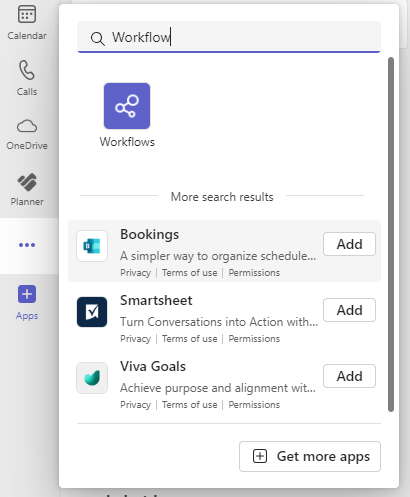
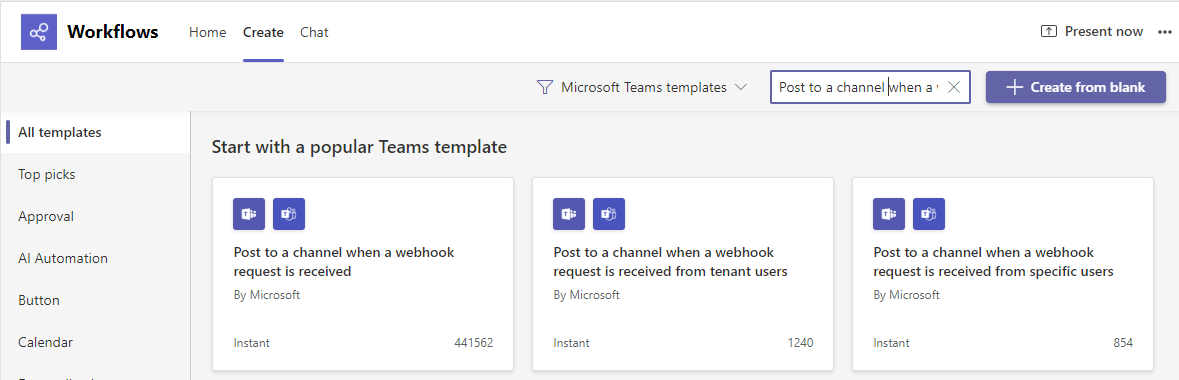
Create a new workflow using the pre-built template Post to a channel when a webhook request is received:
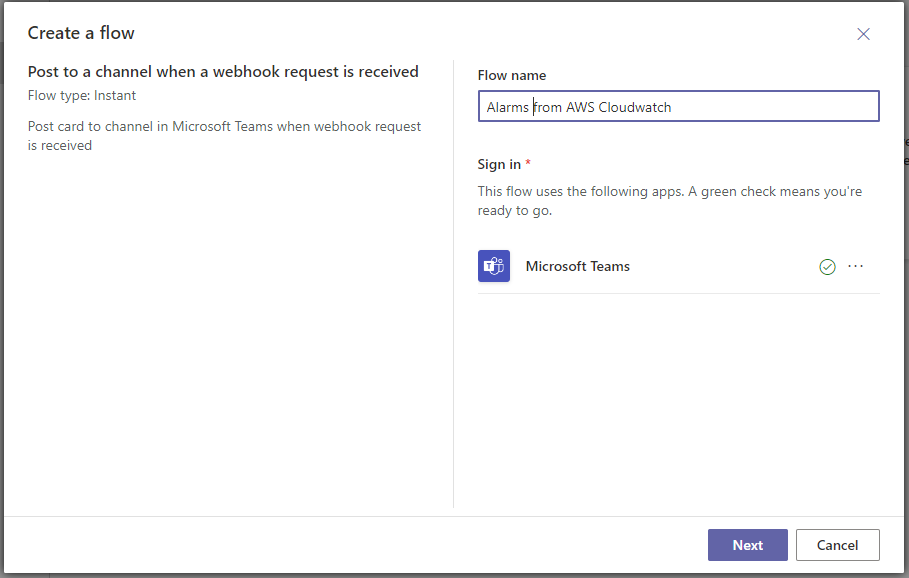
Choose a descriptive name for the workflow:
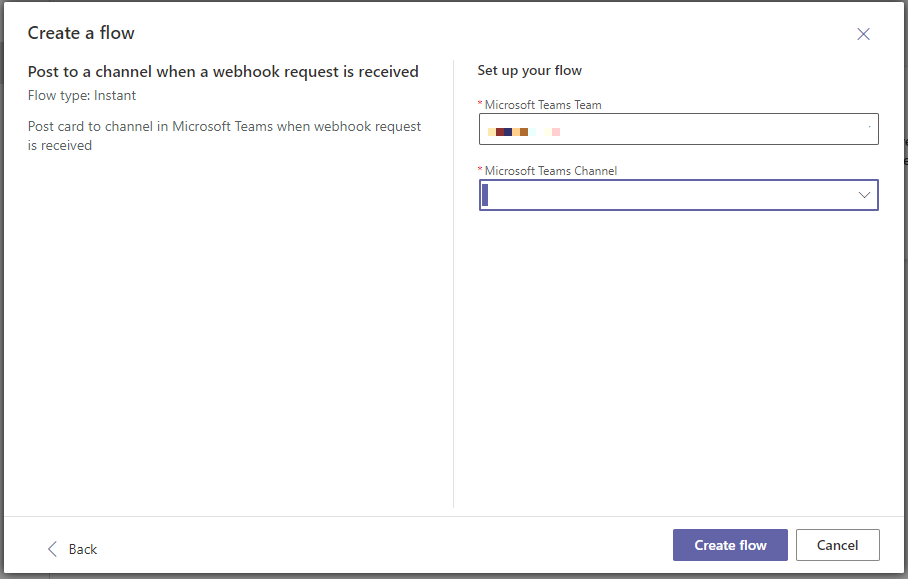
Choose the team and the channel:
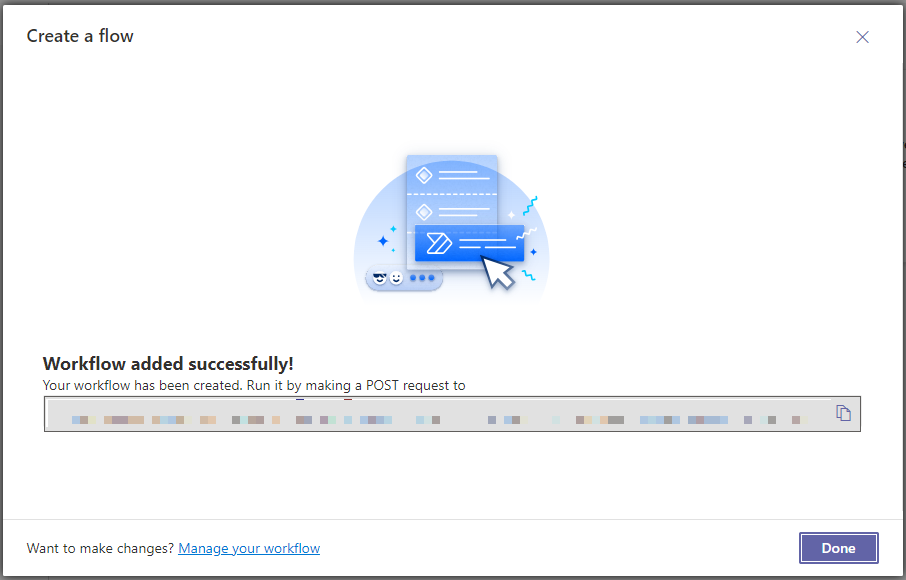
Complete the workflow setup and copy the webhook URL:
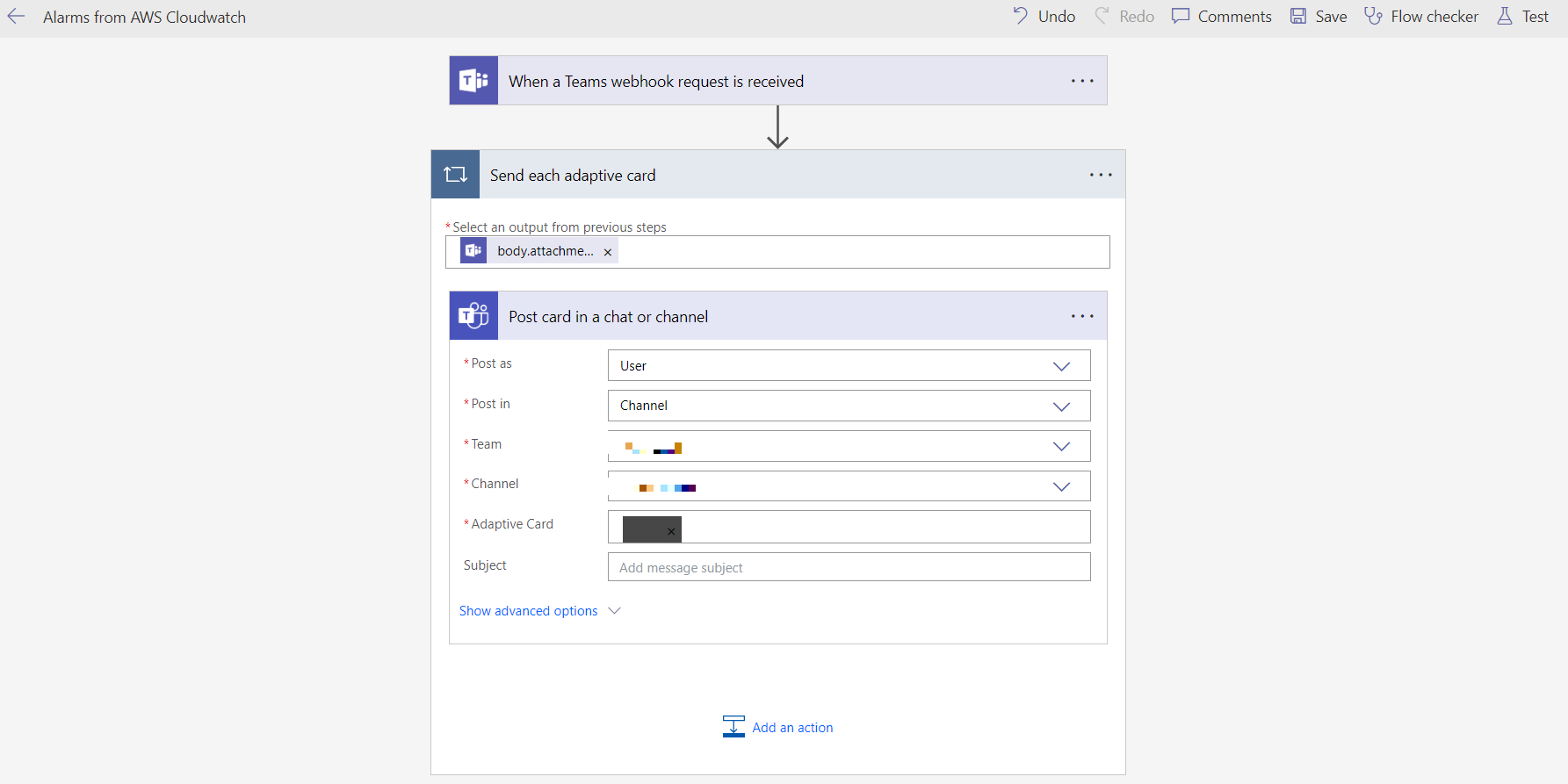
To send messages to a private channel, change the Post as property to User:
Lambda Function
Run the following commands to set up our project:
dotnet new lambda.EmptyFunction -n SNS2Teams -o .
dotnet add src/SNS2Teams package Amazon.Lambda.SNSEvents
dotnet new sln -n SNS2Teams
dotnet sln add --in-root src/SNS2Teams
Open the solution and navigate to the SNS2Teams project. First, let's create the models needed to read the alarm from the SNS event:
namespace SNS2Teams;

public class Trigger
{
    public string? MetricName { get; set; }
    public string? Namespace { get; set; }
    public string? Statistic { get; set; }
    public string? GreaterThanOrEqualToThreshold { get; set; }
    public decimal Period { get; set; }
    public decimal Threshold { get; set; }
    public decimal EvaluationPeriods { get; set; }
}
namespace SNS2Teams;

public class Alarm
{
    public string? AlarmName { get; set; }
    public string? AlarmDescription { get; set; }
    public string? AWSAccountId { get; set; }
    public string? NewStateValue { get; set; }
    public string? NewStateReason { get; set; }
    public string? OldStateValue { get; set; }
    public Trigger? Trigger { get; set; }
}
The following models are related to the webhook invocation:
using System.Text.Json.Serialization;

namespace SNS2Teams;

public class Element
{
    [JsonPropertyName("type")]
    public string Type { get; set; }
    [JsonPropertyName("text")]
    public string Text { get; set; }
}
using System.Text.Json.Serialization;

namespace SNS2Teams;

public class Content
{
    [JsonPropertyName("type")]
    public string Type { get; set; }
    [JsonPropertyName("body")]
    public Element[] Body { get; set; }
    [JsonPropertyName("version")]
    public string Version { get; set; }
    [JsonPropertyName("$schema")]
    public string Schema { get; set; }
}
using System.Text.Json.Serialization;

namespace SNS2Teams;

public class Attachment
{
    [JsonPropertyName("contentType")]
    public string ContentType { get; set; }
    [JsonPropertyName("content")]
    public Content Content { get; set; }
}
using System.Text.Json.Serialization;

namespace SNS2Teams;

public class Message
{
    [JsonPropertyName("attachments")]
    public Attachment[] Attachments { get; set; }
    [JsonPropertyName("type")]
    public string Type { get; set; }
}
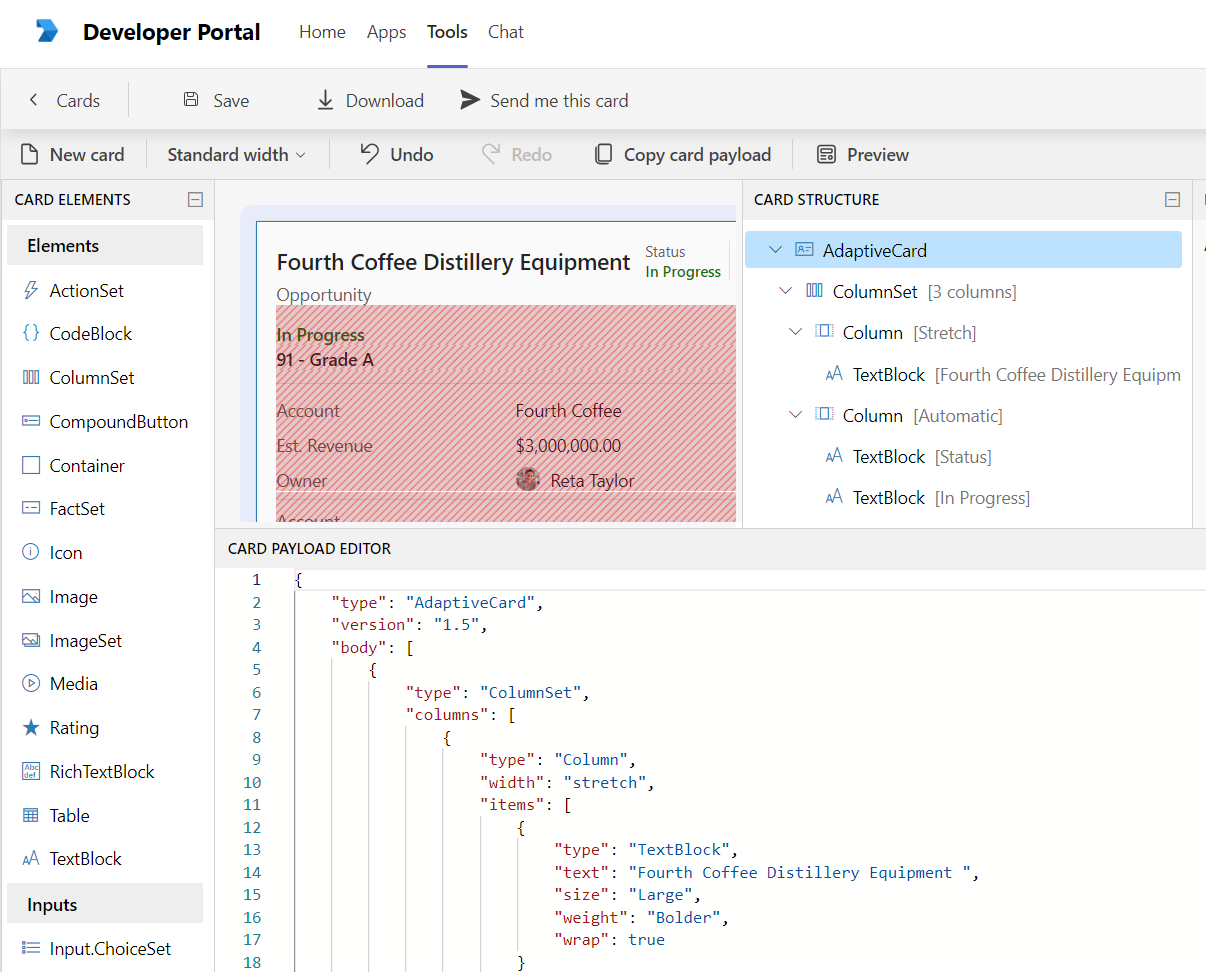
The Content class represents an adaptive card, a customizable card that can include any combination of text, speech, images, buttons, and input fields. For more information, see Adaptive Cards. In the Developer Portal app on Teams, we can find the Adaptive Cards editor to help us design more complex cards:
Open the Function.cs file and update the content as follows:
using Amazon.Lambda.Core;
using Amazon.Lambda.SNSEvents;
using System.Text;
using System.Text.Json;
[assembly: LambdaSerializer(typeof(Amazon.Lambda.Serialization.SystemTextJson.DefaultLambdaJsonSerializer))]
namespace SNS2Teams;

public class Function
{
    private HttpClient _httpClient;

    private readonly Uri _uri;

    public Function()
    {
        _httpClient = new HttpClient();
        _uri = new Uri(Environment.GetEnvironmentVariable("TeamsWebHook")!);
        _httpClient.BaseAddress = new Uri($"{_uri.Scheme}://{_uri.Host}:{_uri.Port}");
    }

    public async Task FunctionHandler(SNSEvent evnt, ILambdaContext context)
    {
        foreach (var record in evnt.Records)
        {
            await ProcessRecord(record, context);
        }
    }

    private Task ProcessRecord(SNSEvent.SNSRecord record, ILambdaContext context)
    {
        context.Logger.LogInformation($"Processed record {record.Sns.Message}");
        if (record.Sns.Message == null)
        {
            return Task.CompletedTask;
        }
        var alarm = JsonSerializer.Deserialize<Alarm>(record.Sns.Message);
        if (string.IsNullOrEmpty(alarm?.NewStateReason))
        {
            return Task.CompletedTask;
        }
        var message = new Message()
        {
            Type = "message",
            Attachments = new[] {
                new Attachment()
                {
                    ContentType="application/vnd.microsoft.card.adaptive",
                    Content = new Content()
                    {
                        Type= "AdaptiveCard",
                        Body = new[]
                        {
                            new Element()
                            {
                                Type="TextBlock",
                                Text = alarm.NewStateReason
                            }
                        },
                        Version = "1.0",
                        Schema = "http://adaptivecards.io/schemas/adaptive-card.json"
                    }
                }
            }
        };
        var body = JsonSerializer.Serialize(message);
        return _httpClient.PostAsync(_uri.PathAndQuery, new StringContent(body, Encoding.UTF8, "application/json"));
    }
}
Essentially, we receive the alarm in an SNS record and then send its new state reason to Teams. Create a template.yml file as follows:
AWSTemplateFormatVersion: '2010-09-09'
Transform: AWS::Serverless-2016-10-31
Description: >
  SNS

Parameters:
  TeamsWebHook:
    Type: String
    Default: ""

Resources:
  SNSTopic:
    Type: AWS::SNS::Topic
    Properties:
      TopicName: "TeamsTopic"

  TeamsForwarderFunction:
    Type: AWS::Serverless::Function
    Properties:
      Handler: SNS2Teams::SNS2Teams.Function::FunctionHandler
      CodeUri: ./src/SNS2Teams/
      Timeout: 15
      MemorySize: 512
      Runtime: dotnet8
      Architectures:
      - x86_64
      Environment:
        Variables:
          TeamsWebHook: !Ref TeamsWebHook
      Events:
        SNSEvent:
          Type: SNS
          Properties:
            Topic: !Ref SNSTopic

  MyAlarm:
    Type: "AWS::CloudWatch::Alarm"
    Properties:
      AlarmName: "DummyAlarm"
      MetricName: "DummyMetric"
      Namespace: "DummyNamespace"
      Statistic: "Average"
      Period: 300
      EvaluationPeriods: 1
      Threshold: 0.0
      ComparisonOperator: "GreaterThanOrEqualToThreshold"
      AlarmActions:
      -  !Ref SNSTopic

Outputs:
  SNSArn:
    Description: SNS ARN
    Value: !Ref SNSTopic
The SAM script creates an SNS topic, a dummy Amazon CloudWatch alarm, and the Lambda function triggered by the topic. Run the following commands to deploy the resources to AWS:
sam build
sam deploy --parameter-overrides TeamsWebHook="<MY_URL_WEBHOOK>"
Cloud Watch Alarm
Change the alarm state with the following command:
aws cloudwatch set-alarm-state --alarm-name DummyAlarm --state-reason "Hello from AWS" --state-value ALARM
This article demonstrates how easy it is to send Amazon CloudWatch alarms to Teams using AWS Lambda functions. All the code is available here. Thanks, and happy coding.
About the author
Somebody who likes to code
Comments
Join the discussionNo comments yet. Be the first to comment.